

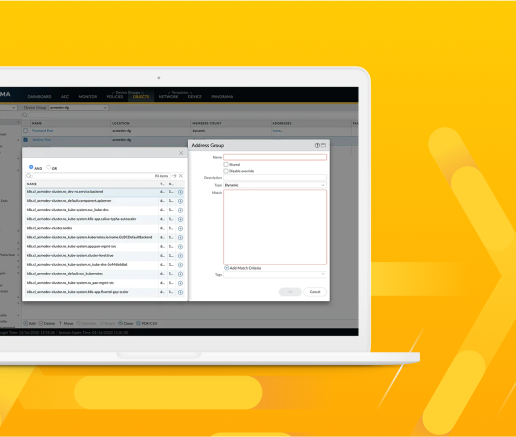

Secure Your Workforce with Prisma Access Agent
Securely connect across SASE and NGFW deployments with the next-generation access agent.
OF THE FORTUNE 10
IN NETWORK SECURITY
CUSTOMERS
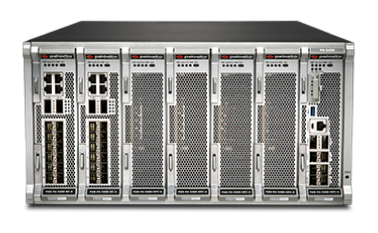
Our NGFW platform protects your entire business, no matter the size or complexity. With a unified network security architecture and the ability to leverage deep learning in real time, our firewalls can help you see and secure everything.
Enable Zero Trust Network Security with simplified security for thousands of branch offices.
Enable Zero Trust Network Security with simplified security for thousands of branch offices.
Integrated capabilities protect your internal assets and the outside world, so your users can connect to data and applications anywhere.
Integrated capabilities protect your internal assets and the outside world, so your users can connect to data and applications anywhere.
Get deep visibility and consistent, best-in-class security controls across physical, virtualized, containerized and cloud environments.
Get deep visibility and consistent, best-in-class security controls across physical, virtualized, containerized and cloud environments.
Secure multiple public cloud environments with the same level of protection as on-premises data centers.
Secure multiple public cloud environments with the same level of protection as on-premises data centers.
Leverage a simplified solution to protect all facets of your unique mobile network.
Leverage a simplified solution to protect all facets of your unique mobile network.
Managed by Palo Alto Networks and easily procured in the AWS Marketplace, our latest Next-Generation Firewall is designed to easily deliver our best-in-class security protections with AWS simplicity and scale.
Bring the world's most effective network security to any cloud or virtualized environment for the perfect balance of security, speed and versatility.
Protect inbound, outbound and east-west traffic between container trust zones and other workload types in Kubernetes environments – without slowing down the speed of development.
Stop known and zero-day attacks hiding in all network traffic, even encrypted traffic.
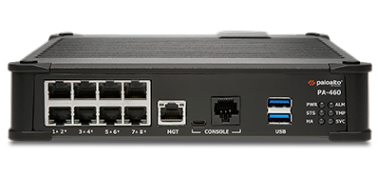
Protect large branch locations and small enterprise campuses with support for Power over Ethernet (PoE) fiber ports.
Get proactive threat prevention for your distributed enterprise with simplified security for thousands of branch offices.
Simplify everything with the ultimate AI assistant for network security, powered by Precision AI.
Contact our team of NGFW experts today. We want to meet with you to help keep your network secure.