Beyond applications. Beyond browsing. Expanded Autonomous Digital Experience Management (ADEM) capabilities for every real-time voice and video conversation
Enterprise real-time voice and video communication has shifted to the browser. For millions of contact center agents and knowledge workers, the browser is now the primary interface for business communication. UCaaS platforms like Dialpad, RingCentral, and Microsoft Teams offer browser clients alongside their desktop applications. CCaaS platforms like Genesys Cloud, Five9, Amazon Connect, Talkdesk, and NICE CXone run their agent workspaces entirely in the browser.
This shift has created a monitoring gap. When a contact center agent experiences choppy audio on a support call with a customer, or a sales rep reports frozen video while screen-sharing during a live prospect pitch, IT has no unified way to assess the end-to-end call quality. Correlating data across UCaaS/CCaaS vendors is manual, slow, and often inconclusive, making it difficult to determine whether the issue lies with the device, the network, or the application.
The Challenge: Fragmented visibility across communication platforms
Organizations today rely on multiple communication platforms simultaneously. For example, a company may use Microsoft Teams for internal collaboration, Genesys Cloud for its contact center, and Dialpad for sales. Each platform reports call quality independently, creating three separate views of the same workforce. Determining whether a poor call experience stems from a user's physical device, local Wi-Fi, network routing, or the communication platform itself is difficult because of the following limitations:
- Siloed diagnostics: Each platform provides its own admin portal and metrics. They provide insights into the call quality metrics that showcase the symptom, not the cause. Lacking endpoint and network vantage points, these portals can’t pinpoint whether it’s the Wi-Fi, the device, or the network. All in all, there is no unified view to tie these siloed insights together.
- Multiple context-switching: When a support agent reports poor call quality, IT must check the platform's admin console, the endpoint health, and the network path, moving back and forth between different dashboards to correlate data points.
These limitations delay issue identification, lengthen resolution times, and cause operational friction.
The Solution: Unified Digital Experience Monitoring with Browser-based Voice and Video Calls
Today, Autonomous Digital Experience Management (ADEM) is extending digital experience monitoring to browser-based voice and video calls. IT teams can now detect, measure, and streamline root cause analysis for browser-based calls from a single dashboard, without vendor-specific API integrations, without additional hardware, and without requiring changes to the communication platform.
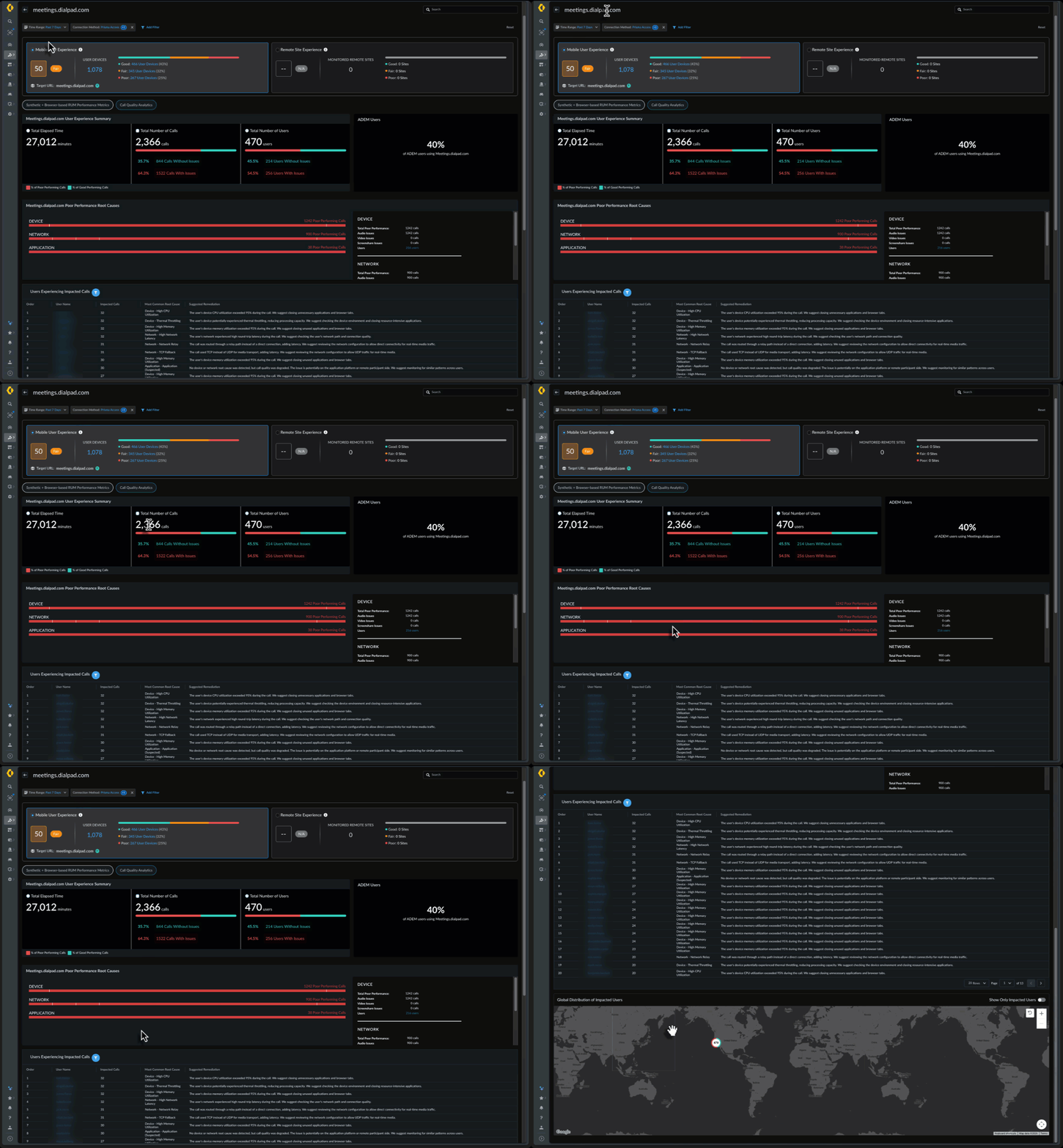
ADEM monitors calls on UCaaS solutions like Google Meet and Webex and CCaaS solutions like Genesys and Dialpad, and any other application that runs voice or video through the browser. No API keys or tenant configuration required. If the application makes a call in the browser, ADEM sees it.
Key benefits and value proposition
Extending ADEM to real-time voice and video calls delivers three key benefits:
-
Gain universal call visibility
Today's organizations manage fragmented tools such as Microsoft Teams, Zoom, or Google Meet for internal calls, alongside Genesys, Dialpad, or any other CCaaS application for customer support. ADEM unifies this multi-vendor landscape into a single experience management platform. By delivering critical endpoint and network vantage points that native portals lack, ADEM bridges isolated data points, transforming surface-level call symptoms into definitive root-cause solutions. Organizations can gain complete visibility across their enterprise’s entire communication stack without being locked into proprietary monitoring tools. Refer Fig 1 for more details.
-
Evaluate true user experience
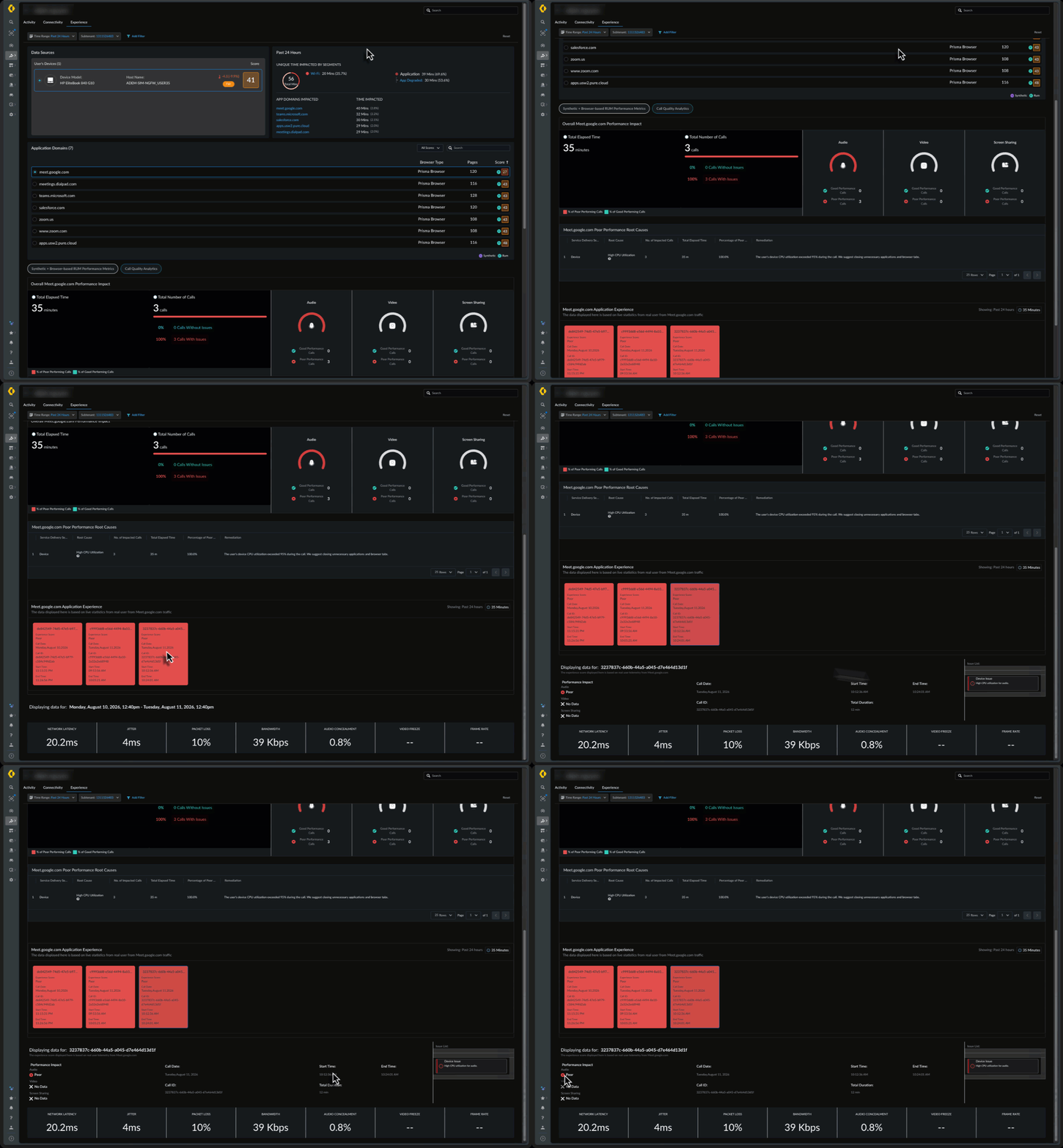
Instead of manually stitching together and analyzing fragmented metric logs, IT teams can now view a unified score that delivers an immediate snapshot of end-user experience quality. ADEM captures 13 quality metrics per call and consolidates them into a unified experience score as shown in Fig 2. These include standard network metrics like round-trip time, jitter, and packet loss, as well as two metrics that set ADEM apart: Audio Concealment and Video Freeze Ratio.
A major differentiator for ADEM is that the solution moves beyond the raw network metrics reported by conventional monitoring tools. When packets are lost during a call, the audio and video codecs attempt to compensate, filling gaps, smoothing audio, and interpolating frames. Audio Concealment and Video Freeze Ratio measure how well that compensation worked. They reflect what the user actually experienced: clear speech or distorted audio, smooth video or frozen frames.
-
Accelerate troubleshooting to isolate the cause
ADEM then correlates the real-time telemetry for browser-based calls to isolate whether a poor experience stems from the:
-
- Device: high CPU utilization, memory pressure, or connectivity disruption during the call
- Network: high latency, packet loss, jitter, or limited bandwidth across the WiFi, local network, or internet path
- Application: when no device or network root cause is detected, the issue is attributed to the application or remote side
By pinpointing the layer causing performance degradation, IT teams can isolate and resolve tickets far more efficiently without the traditional guesswork.
Choose ADEM for comprehensive call quality metrics
ADEM already provides rich monitoring and troubleshooting capabilities through native integration with Zoom and Microsoft Teams. With browser-based call quality monitoring, that visibility expands to the full range of UCaaS and CCaaS platforms that run in the browser. Whether an organization uses Zoom or MS Teams for internal meetings, Genesys Cloud for customer support, and Dialpad for outbound sales, ADEM provides a single place to monitor call quality across all of them.
Browser-based Call Quality Monitoring is available via ADEM RUM Extension, without additional hardware or software, deployable to:
- Prisma Browser
- Google Chrome
- Microsoft Edge
Combined with the existing ADEM agent and native integrations, IT teams can monitor call quality across applications from a single dashboard, whether calls happen through a desktop app like Teams and Zoom or the browser.
Get started with ADEM today
Transitioning to browser-based communication solutions shouldn't force a compromise on call quality or IT control. With ADEM’s browser-based call monitoring, organizations can minimize troubleshooting delay, empower their support teams, and deliver reliable communication across their global workforce.
For more information: