Security operations teams have long been burdened by the "integration tax." Automating workflows across SOC tools required customizing prebuilt integrations or building custom scripts from scratch, only to maintain them through every version upgrade.
The Model Context Protocol (MCP) acts as an open "HTTP of AI," providing a standardized orchestration layer that seamlessly connects Large Language Models directly to the SOC tools used by developers and security teams. With MCP, an agent can select and orchestrate the right tools on the fly, executing complex operational plans in response to analyst prompts or system events.
We previously introduced the Cortex MCP server and its native integration with leading LLMs. Today, we are taking it a step further: showing you how to connect Cortex XSIAM, AgentiX, XDR, and Cloud to your enterprise SOC tools to automate workflows and supercharge your agents.
Connecting External MCP Servers via Cortex Marketplace
The Cortex Agentic Assistant uses MCP integrations to connect AI agents directly to third-party tools across your enterprise. This allows agents to retrieve external context and execute tasks across your stack, such as opening a Jira ticket or verifying security guardrails in a GitHub workflow.
Setting up a connection to an external MCP server is straightforward.
Deployment: Install the corresponding content pack from the Cortex Marketplace and set up your integration instance. You can leverage out-of-the-box content packs for Atlassian, Cloudflare, GitHub, and ServiceNow, or use our generic MCP pack to connect any custom server.
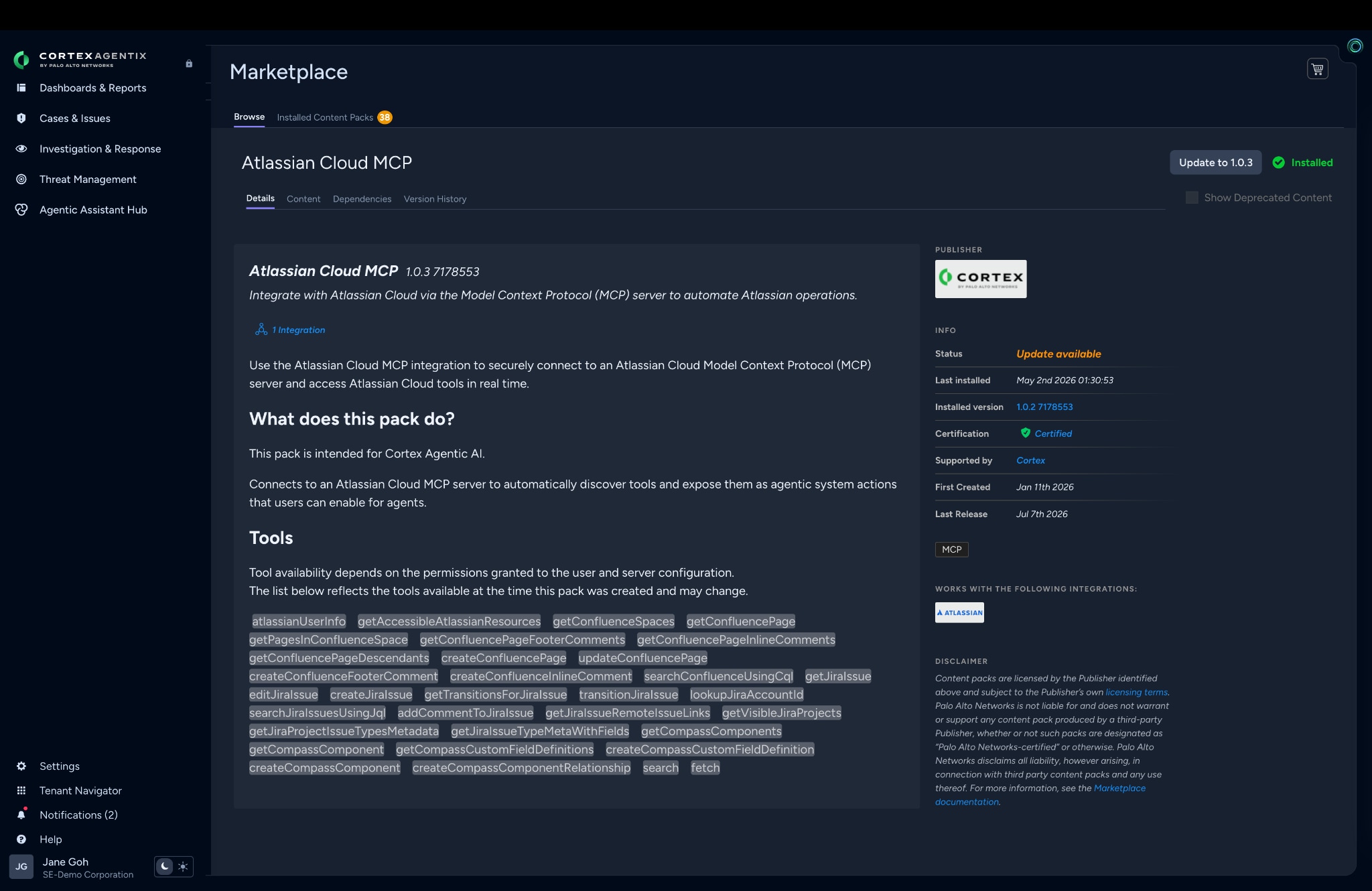
To get started, install the Atlassian MCP Content Pack by navigating to Settings → Marketplace and filtering for MCP under Types.
Each integration supports multiple instances, allowing you to tailor access permissions to specific operational needs. For example, you can configure one Atlassian instance with read-only tools for passive context gathering, and a separate instance with read and write capabilities for active ticket management.
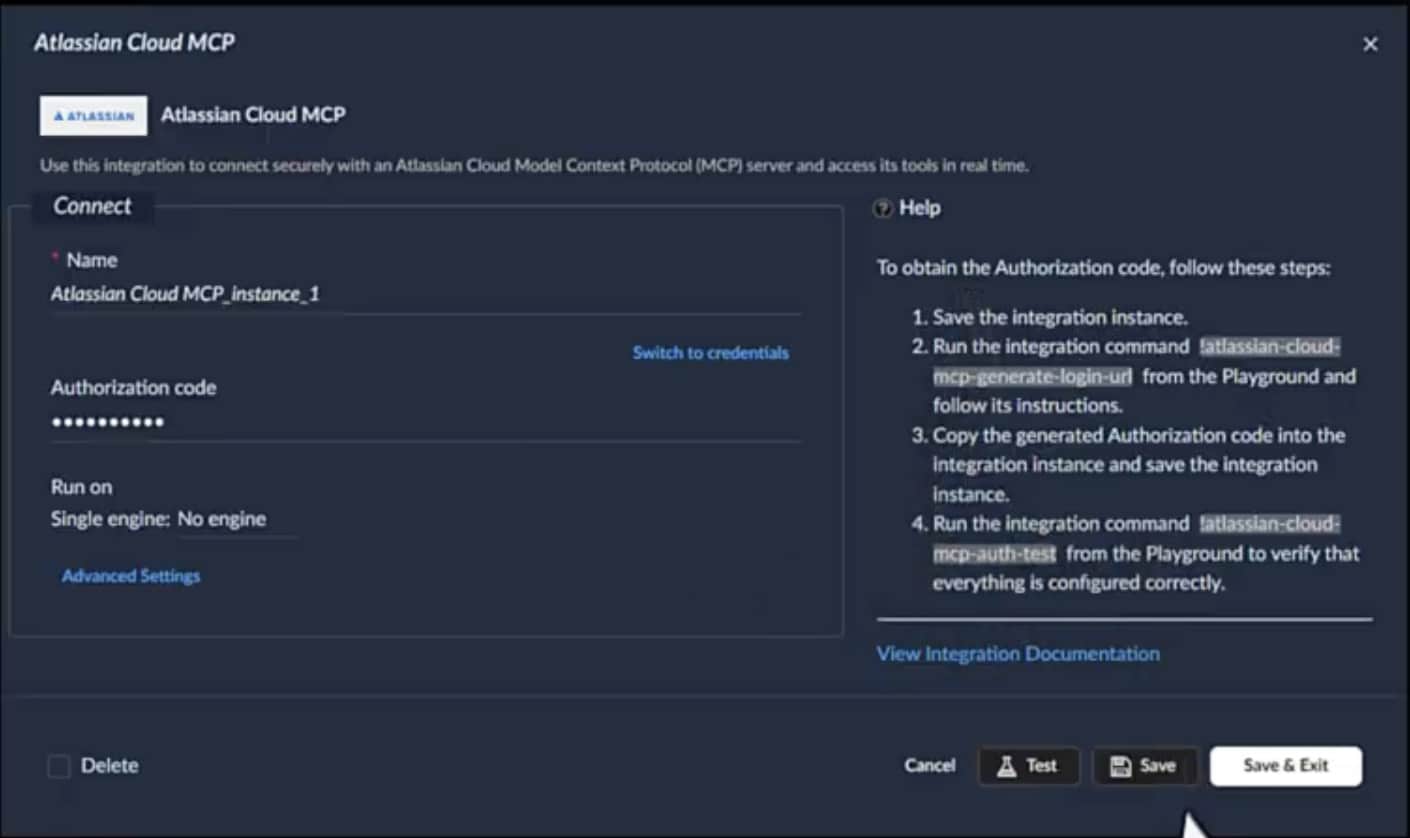
Connection & Authentication: The Cortex Agentic Assistant communicates with URL-accessible MCP servers over streamable HTTP, supporting both OAuth and authless configurations. Connecting to a server like Atlassian is as simple as entering your authentication credentials and testing the link, with guided step-by-step instructions to walk you through the setup.
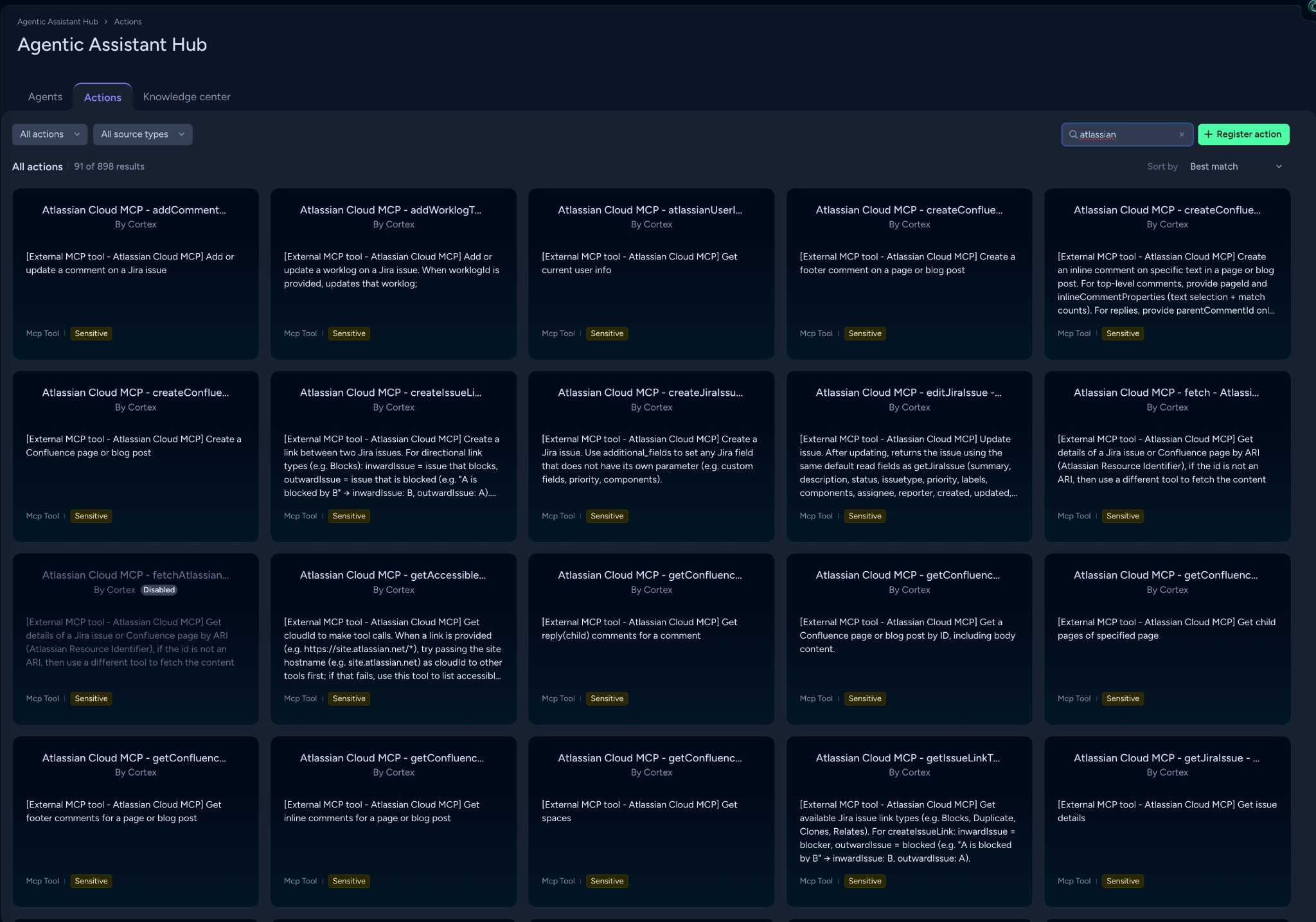
Automatic Discovery: Once configured, the integration automatically discovers available tools on the MCP server and converts them into ready-to-use agentic actions.
Tool discovery and security governance follow a few core rules:
Automated Syncing: The integration checks hourly for new or modified tools, and runs an instant sync whenever you save an instance configuration.
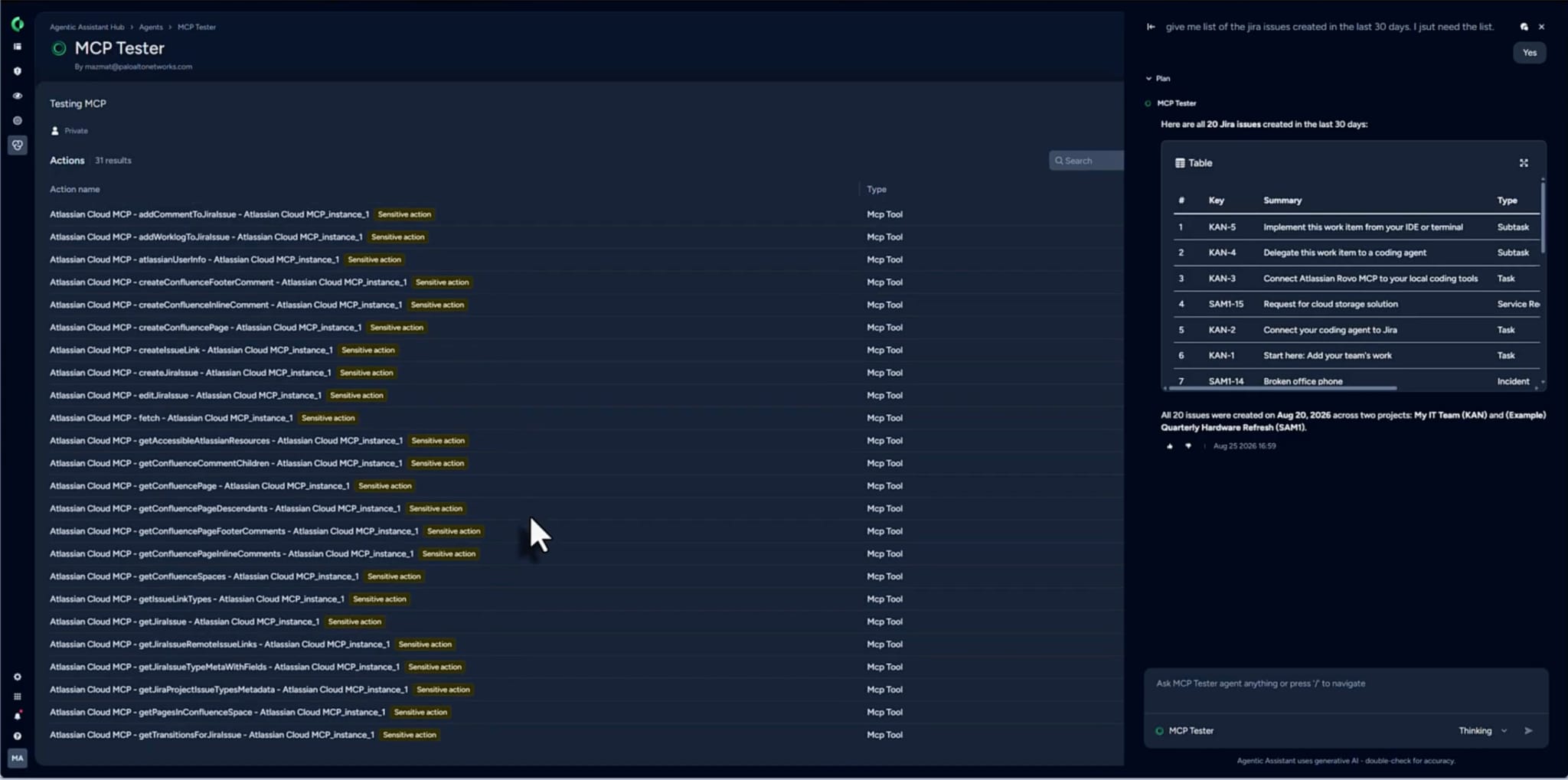
Action Registration: Capabilities are registered as system-level actions under the type MCP Tool. Action names combine the server, tool, and instance names, allowing you to easily manage multiple instances of the same server.
Access Controls: Generated system actions can be enabled or disabled at any time. For safety, all imported MCP actions are marked as sensitive by default, requiring human-in-the-loop approval before execution. If an action is safe for automated execution, you can easily toggle off the sensitive flag.
Adding MCP Tools and Managing Permissions
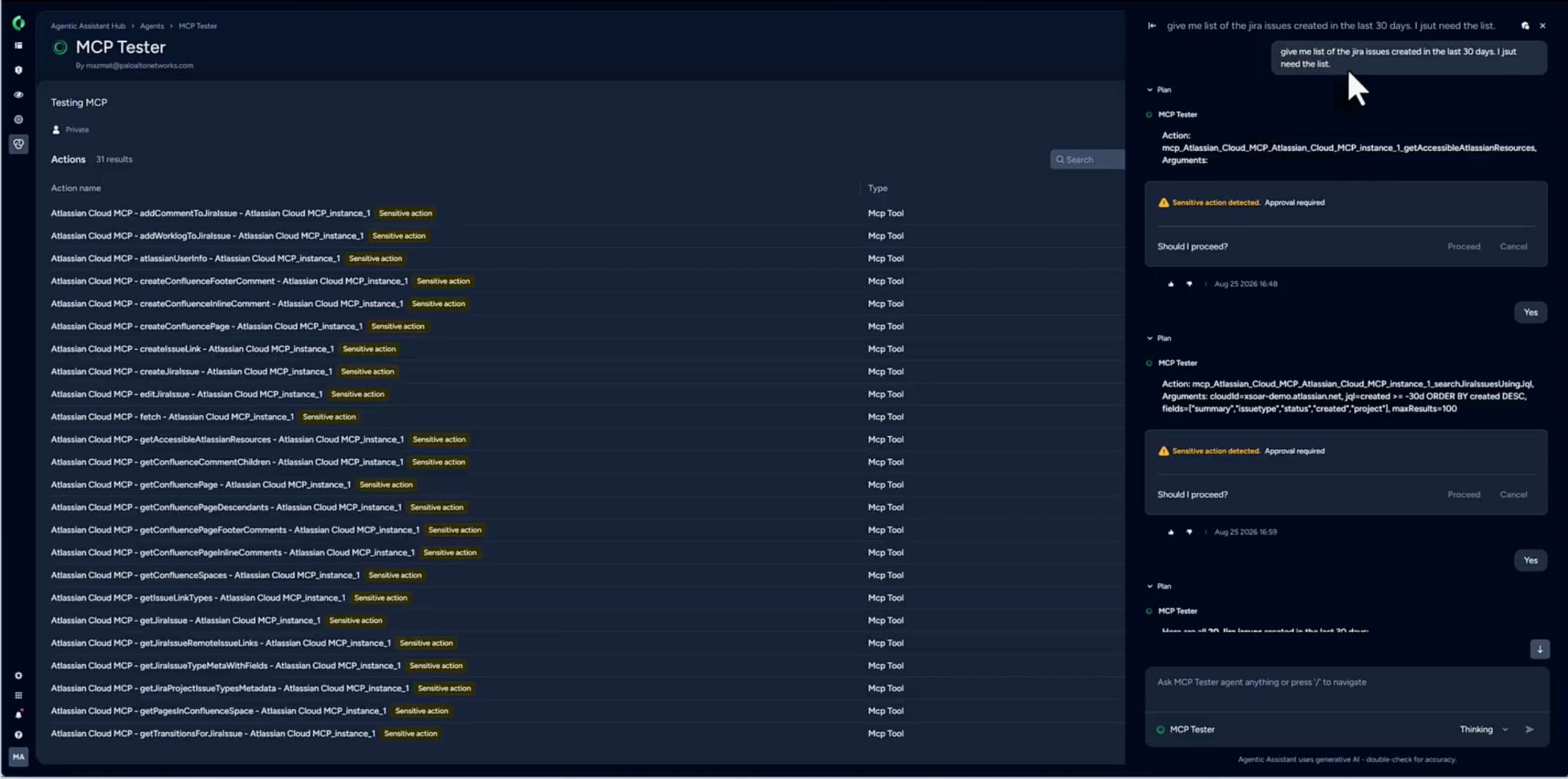
Once registered as actions, these MCP tools can be attached to custom agents inside the Agentic Assistant Hub. By default, any user with access to a custom agent can run its assigned tools. To demonstrate this in action, we created a custom agent named MCP Tester to evaluate our Atlassian integration, prompting it with a simple request: "List all Jira issues created in the last 30 days."
Custom MCP Integrations
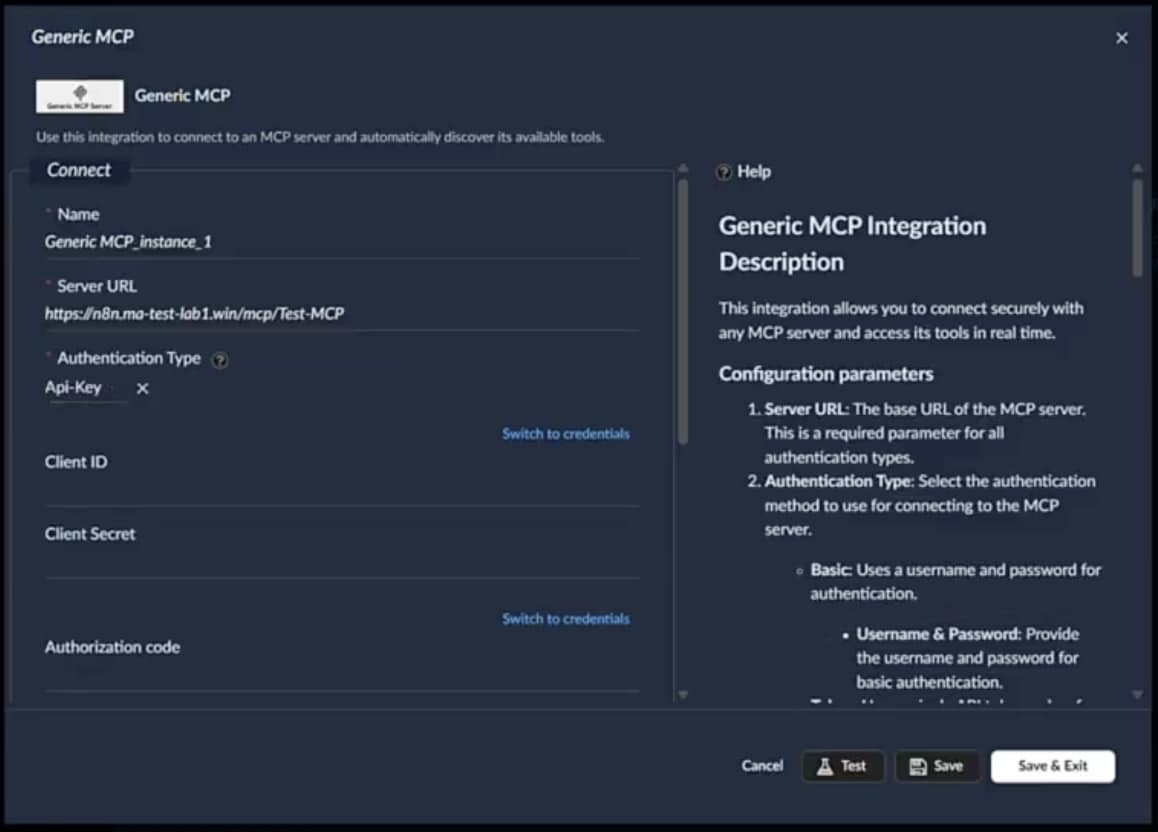
To create a custom MCP integration, use the generic MCP content pack, initiate the connection with your MCP server of choice, and the tools associated with it will be automatically downloaded into the Actions library for use by your agent. You would then create a custom agent with these actions for engaging with the MCP server.
Orchestration without the Friction
Security operations are moving past the friction of custom API scripts and integrations. By using MCP to orchestrate tools across their security stack, security teams replace brittle code with a standardized AI connection layer. This eliminates integration maintenance, letting human expertise and AI orchestration operate in tandem to accelerate threat response.
Experience the Power of the Agentic SOC
Ready to eliminate the integration tax and unlock Agentic AI in your SOC? Experience how Cortex XSIAM and our other Cortex products use native MCP integrations to connect your security stack, automate complex workflows, and accelerate response times.